AI Automated Vocal Remover
With advanced AI algorithms, this vocal remover automatically detects and isolate vocals and instruments in seconds. No manual effort required.
Our AI vocal extractor does a fantastic job of separating vocals clearly and cleanly from the instrumental part. You’ll get professional-quality results with minimal fuss.


With advanced AI algorithms, this vocal remover automatically detects and isolate vocals and instruments in seconds. No manual effort required.
Remove vocals or isolate instruments from any song in seconds. Upload your track, let the AI separate vocals from music, and download your clean mix instantly.
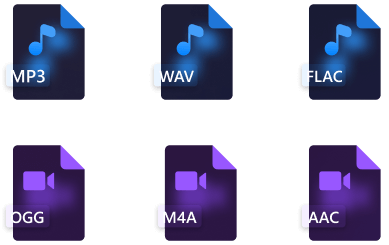
Our vocal remover lets you upload and process audio in popular formats like MP3, WAV, and FLAC with ease.
Remove vocals from any song instantly with our free AI vocal remover. Create karaoke tracks, remixes, or instrumentals for practice, all with high-quality results in one click.
Remove vocals or isolate instruments in just one click. No learning curve — anyone can edit music effortlessly.
Your privacy matters. We process all audio files securely with bank-grade encryption to keep your projects safe.
Our vocal remover works on Windows, Mac, Android, and iOS, and the AI vocal remover is also available on the web.
We regularly update our vocal isolator to enhance performance, strengthen security, and introduce new features.
Skip the login steps. Our AI vocal remover works instantly without any account or email sign-up.
Our vocal remover is free to use. Separate vocals and instrumentals anytime without paying a cent.
Our best online vocal remover is beginner-friendly, supports all popular audio formats, and uses advanced AI technology to separate vocals in seconds with clean, distortion-free results.
When you upload an audio file to Tordar vocal remover, its length is deducted from your available minutes. If you upload the same file more than once, the time will be counted each time.
Step 1. Open our free vocal remover and click Select File to upload your audio.
Step 2. Our advanced AI automatically detects and removes vocals from the song.
Step 3. Preview the result, then download the isolated vocals or instrumentals as you need.
Our AI vocal remover works with popular audio formats such as MP3, WAV, OGG, and FLAC. You can easily extract vocals and download the results in your preferred format.
Yes. After processing, you’ll get three tracks: the original, the isolated vocals, and the instrumental version. You can preview and play each before downloading.
Yes. With Tordar vocal remover online, you can instantly download the separated vocals and instrumentals after processing and save them to your device in your preferred format.
If you like our vocal remover, please rate us 5 stars!
4.8 out of 5 stars, 6.6K ratings