Whether you're editing a podcast, interview, online course, or video, choosing the right background music remover can make speech much clearer without sacrificing audio quality. Thanks to AI, it's now possible to remove background music while preserving voices in just a few clicks.
In this guide, we've rounded up the best background music remover tools, comparing their audio quality, ease of use, supported formats, and key features. Read on to find the best option for your needs, or try Tordar AI Background Music Remover to remove background music from your files online.
Contents
Benefits of Removing Background Music From a Video
Removing background music can improve the quality and flexibility of your content in many situations, especially when speech needs to be the focus.
Improve Speech Clarity
Removing background music helps make dialogue, narration, and conversations easier to understand. This is especially useful for podcasts, interviews, webinars, online courses, and presentations.
Create Better Social Media Content
Clear audio keeps viewers engaged and makes your message easier to follow. Removing distracting music can improve the viewing experience on YouTube, TikTok, Instagram, and other social platforms.
Make Video Editing More Flexible
Removing background music gives you the freedom to replace soundtracks, add voiceovers, or reuse existing videos for different audiences without starting from scratch.
Repurpose Audio for Creative Projects
Separating background music from recordings makes it easier to remix, sample, edit, or adapt your content for new projects while keeping important voices and sounds intact.
Top 5 Background Music Removers
Tordar AI Background Music Remover
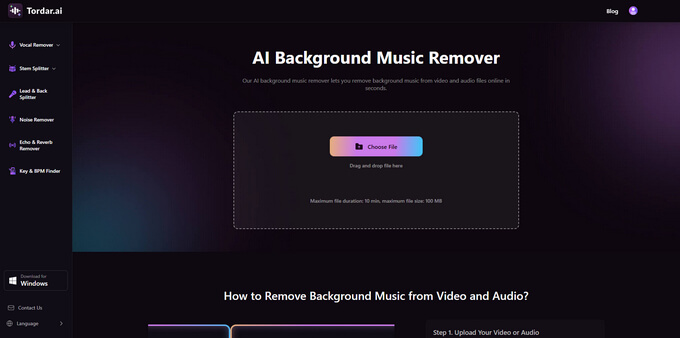
Tordar AI Music Remover is an AI-powered tool designed to remove background music while preserving speech. Simply upload your file, let the AI process it, preview the result, and download the cleaned audio. It supports both video and audio files, making it a convenient choice for creators, educators, podcasters, video editors, and anyone who needs clear voice recordings.
Pros:
- Removes background music while keeping speech clear
- Supports both video and audio files
- Simple web-based interface
- Fast AI Processing to Remove Music from Video
- Multi-language support
Cons:
- Results may vary with complex audio
Tordar AI Background Music Remover
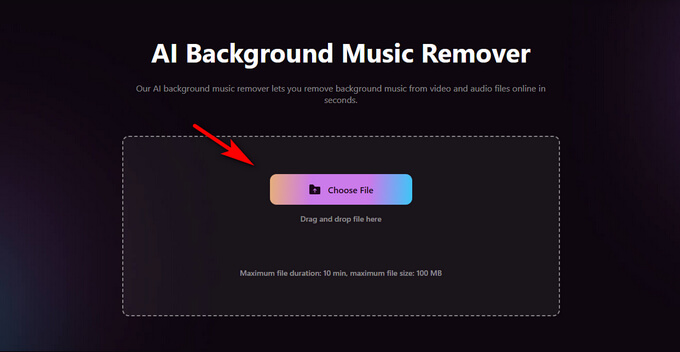
Below is how to background music from videos with Tordar AI:
- Click the Choose File button to upload your video file.
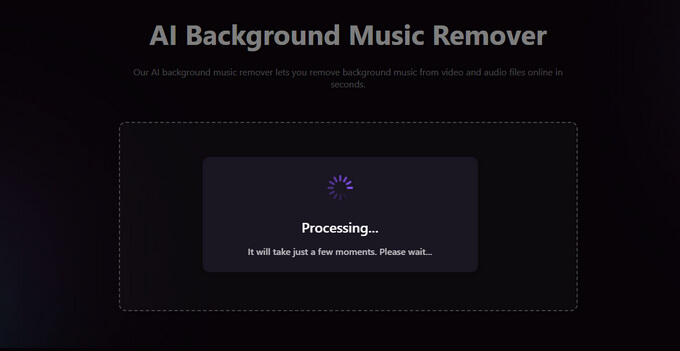
- The AI automatically detects speech and background music, then separates them in seconds.
- Remove the background music while keeping voices clear, preview the result, and download your cleaned file.
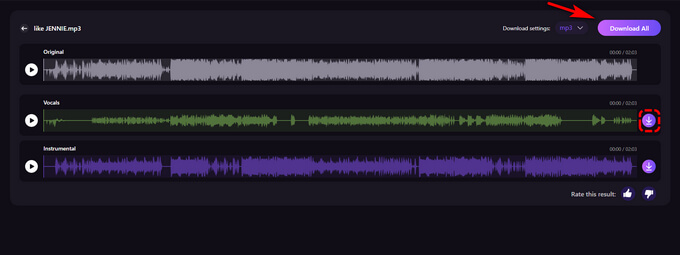
Musicremover.ai
Musicremover.ai is an AI-powered online tool that removes background music from both audio and video files while preserving speech and vocals. It works directly in your browser with no software installation required and supports a wide range of file formats. The tool is suitable for podcasts, interviews, voiceovers, and social media videos that require clearer dialogue.
Pros:
- Supports both audio and video files
- No software installation required
Cons:
- Full-quality downloads may require a paid plan
- Results may vary with complex audio
LALAL.AI
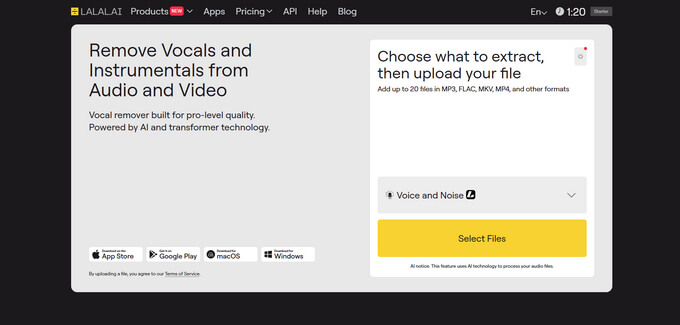
LALAL.AI is an AI-powered online audio separation tool that can remove background music while preserving vocals. It runs entirely in your browser, supports multiple audio and video formats, and offers a simple workflow without requiring software installation.
Pros:
- Fast vocal and accompaniment separation
- No setup or technical skills required
Cons:
- Free usage is limited
- Processing time may vary with larger files
Musicai.ai
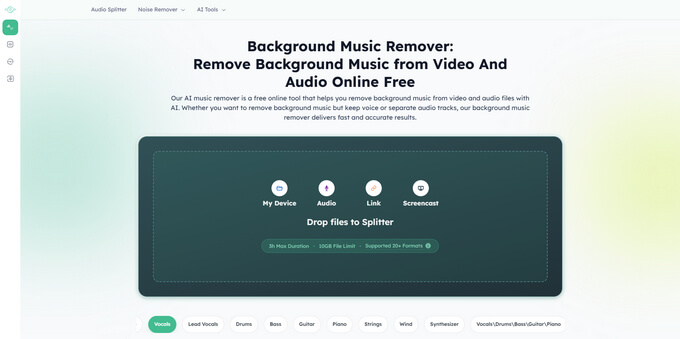
Musicai Background Music Remover is an AI-powered online tool that removes background music from audio while preserving vocals and speech. It runs entirely in your browser, supports popular formats such as MP3, WAV, FLAC, M4A, and AAC, and also offers stem separation for users who need to isolate vocals, drums, bass, or other audio tracks.

Pros:
- Supports multiple audio formats
- Offers AI stem separation in addition to background music removal
Cons:
- File upload size is limited
- Requires an internet connection
AudioCleaner AI
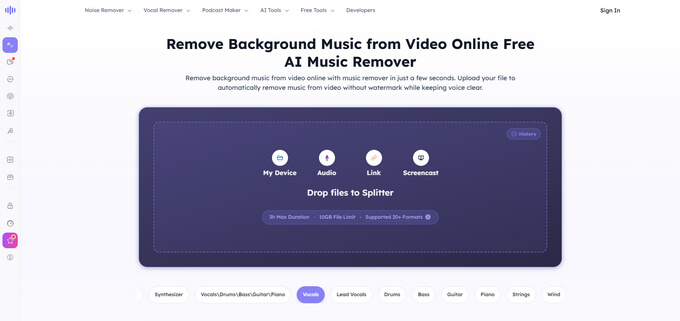
AudioCleaner AI is an online tool that uses AI to remove background music from video while preserving speech. Simply upload your file, and the AI automatically separates music from dialogue to improve voice clarity. The tool runs directly in your browser with no software installation required and supports a range of common video formats, making it suitable for interviews, tutorials, presentations, and social media content.
Pros:
- No software installation required
- Simple and easy-to-use interface
Cons:
- Free usage is limited.
- Results may vary with complex audio
Overview of Background Music Removers
| Tool | Supports | Key Features | Ease of Use | Free Plan |
|---|---|---|---|---|
| Tordar AI | Video & Audio | Keeps speech clear, supports large audio & video files | ★★★★★ | Yes |
| MusicRemover.ai | Video & Audio | Browser-based audio & video processing | ★★★★☆ | Limited |
| LALAL.AI | Video & Audio | AI vocal separation | ★★★★☆ | Limited |
| MusicAI | Audio | Background music removal + stem separation | ★★★★☆ | Limited |
| AudioCleaner AI | Video | AI music removal for videos | ★★★★☆ | Limited |
Conclusion
Removing background music is easier than ever with AI. In just a few clicks, you can clean up audio and video recordings, improve speech clarity, and create more professional-sounding content without complicated editing.
If you're looking for a fast and reliable solution, Tordar AI Background Music Remover is an excellent choice. It removes background music while keeping voices clear, supports both audio and video files, and makes it easy for anyone to achieve high-quality results.
Tordar AI Background Music Remover
FAQs
1. How do I extract the voice from a video?
Upload your video to our AI background music remover, and it will automatically separate speech from the background music. You can then download the processed audio or continue editing your video with clearer voice tracks.
2. Does the AI background music generator affect audio quality?
Our AI is designed to preserve audio quality while removing background music. It keeps speech, dialogue, and narration as clear and natural as possible, delivering clean results with minimal quality loss.
3. What file formats are supported for audio separation?
Our background music remover supports popular audio and video formats, including MP3, WAV, FLAC, M4A, MP4, and MOV. Simply upload your file, no additional conversion is required.
4. Is my uploaded audio or video secure?
Yes. When you use our AI music remover, your files are processed securely and automatically deleted after processing. We never make your uploads publicly accessible, ensuring your recordings remain private and protected.
5. Can I use the processed files for commercial projects?
Yes, provided you own the original content or have the necessary rights to use it. You're responsible for ensuring your use of the source material complies with applicable copyright and licensing requirements.